(androidfullapps.com).jpg)
REQUIRES ANDROID:2.0 and up
Description
Merry Christmas to All Android Users. On Sale 50% off till1st Jan next year :)
Droid Life: PopUp 7, An Unobtrusive SMS Popup That Actually Works Pretty Darn Well
===========================================================
Now Comes with Voice Command Support. You can reply read, reply message without touching your device.
SMS, Misscall, Email Notifications.
===========================================================
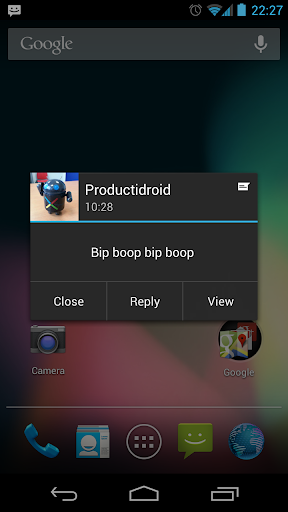
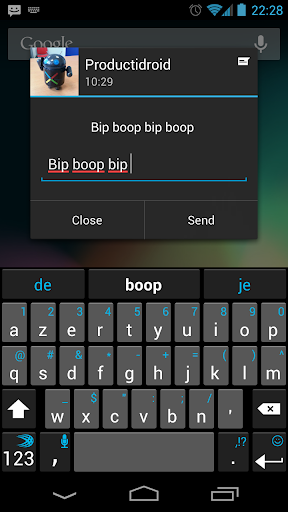
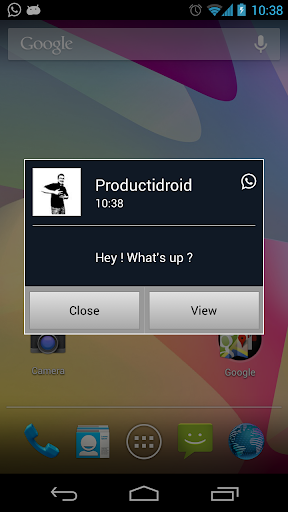
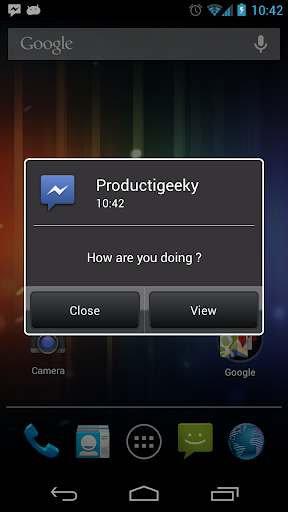
Tired of pop-ups interrupting your work or current task? POPUP 7 comes to your rescue, allowing you to do true multitasking on your phone. Your existing tasks, like games, videos, and editing, will continue while you read, reply, and delete text messages. Your messages still show up with contents and sender photos, but none of your other tasks are disturbed. You can customize the look of the app, and how it deals with incoming messages.
Dont waste time or effort; your phone was made to multitask. POPUP 7 lets it.
Allows text messages, Miss call Alerts to appear without disturbing existing tasks
Voice Commands to read, reply text, call contact.
Sliding drawer to be less obtrusive, Sliding down will show popup.
Read/Reply/Delete SMS pop-ups no matter what else youre doing
Instant Call Contact, Send Message, Delete Call log entry and Mark Miss call as acknowledged to prevent
further notification from Miss call POPUP.
Click On Sender Name or Message Body to open SMS thread.
Customize the apps look and feel to suit you
Set Notifications for Incoming Sms with Vibrator and LED settings.
Arrow to see complete message if you want.
TTS button to listen message.
Set Smart Quick Texts(Preset texts) and use it while replying..Most frequently used Quick Text will be shown first while replying.
===============VOICE COMMANDS==============
How to Enable Voice Commands:
Go to Settings menu of app -> Notification Settings -> Select Voice Commands.
You can enable Voice commands along with Ringtone or Only Voice Prompt when new text arrives or disable voice commands.
How to Use Voice Commands :
1) When you get new text Voice Command will notify you
with contact name that you got new message.
"Text Message from XXX, You can say Read Message or Ignore"
2) If you say Ignore POPUP 7 will not do anything.
But if you say Read Message it will Read whole Message. After reading Complete messsage it will ask you for action.
"Msg Content, You can say Reply Message or Call"
3) Once you say Reply Message if will open Reply Screen and Prompts you to say your reply, Whatever you talk will come on Reply screen.
After you finished talking your reply it will read what you said and ask you whether you want to send reply or try again talking reply if reply text is not what you intent for.
4) If you say SEND it will send messsage to person, if you say try again it will ask you for reply text to speak again.
And message sent without toucing phone.
======================NOTE==================================
For those who are using GOSMSPRO and Popup 7 is not working
In GOSMSPRO go to menu->setting ->ReceiveSetting... Please UNCHECK "DISABLE OTHER MESSAGE NOTIFICATION " option.
This will resolve problem.. please do not RATE low as this is not a fault of this app, that settings in go sms suppresses androids default Intents for sms received.
Discussion Forum on XDA Developers:
http://forum.xda-developers.com/showthread.php?t=1235414
******************
Google Play Store
Cost:- Rs.52.66 or $1.00
Download Full Version Here:-

File size:-350 Kb